📍 Discover Real-Time Bus Schedules with the New Interactive Map!
Thanks to the new
interactive map, checking upcoming stops is even easier! 🚍
Here’s how to do it:
✅
Select “Line Search” and choose the line you are interested in.
✅
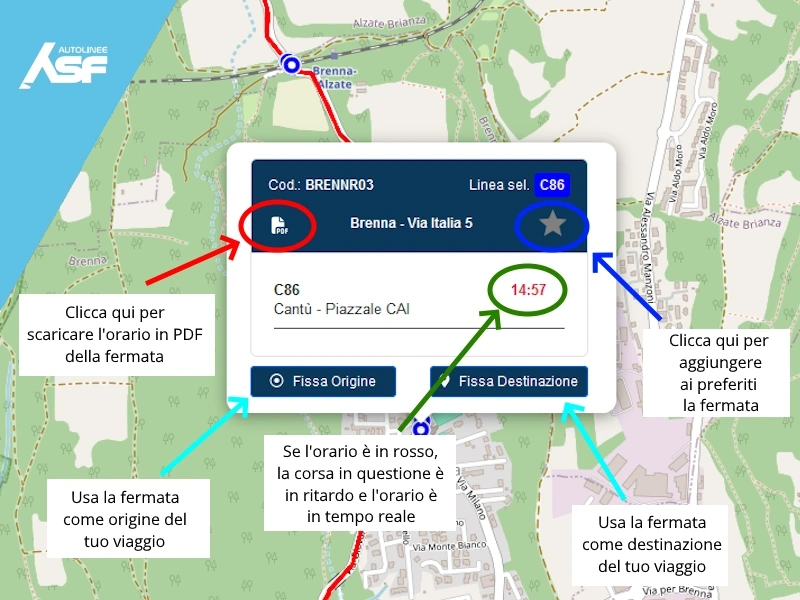
On the map, tap the stop for which you want to know the schedule and tap on its name.
✅ It will open the
stop’s tab with real-time schedules of all lines passing through there.
🔴
Time is red? It means that the run is delayed.
📄
Download the PDF with all the stop schedules to have them always at hand.
⭐
Add the stop to your favorites! Just click on the
star and you will easily find it in the
Favorites -> Stop next time.
🔍
Scan the QR Code at the bus stop!
At each stop you will find a
QR Code: just scan it with your smartphone to immediately see the updated schedule of upcoming buses.
Have a nice trip with ASF Autolinee